How to Choose the Best Asset Tracking Software for UK Businesses (2026)
Learn how to choose the best asset tracking software for your business. Discover key features to look for, why spreadsheets fail, and how to improve a...
Read articleLaptop returns & employee equipment
An employee leaves on Friday. IT needs their laptop, charger and monitor back before the next starter arrives. Keep each device’s serial number linked to its recorded holder, see what is outstanding and identify spare equipment before buying more.
No signup or credit card required for the demo.
Ready to try your own workflow? Start 30-Day Trial — £2.99
HR confirms an employee’s last day, but the device spreadsheet has not been updated since their last office move. The laptop might be at home, the monitor might be on another desk, and nobody is sure which charger was issued.
With AssetControl Cloud, record the laptop and accessories against the employee at issue. At offboarding, review their assigned items, agree the returns and check each one back in when it reaches IT. The return history stays with the device.

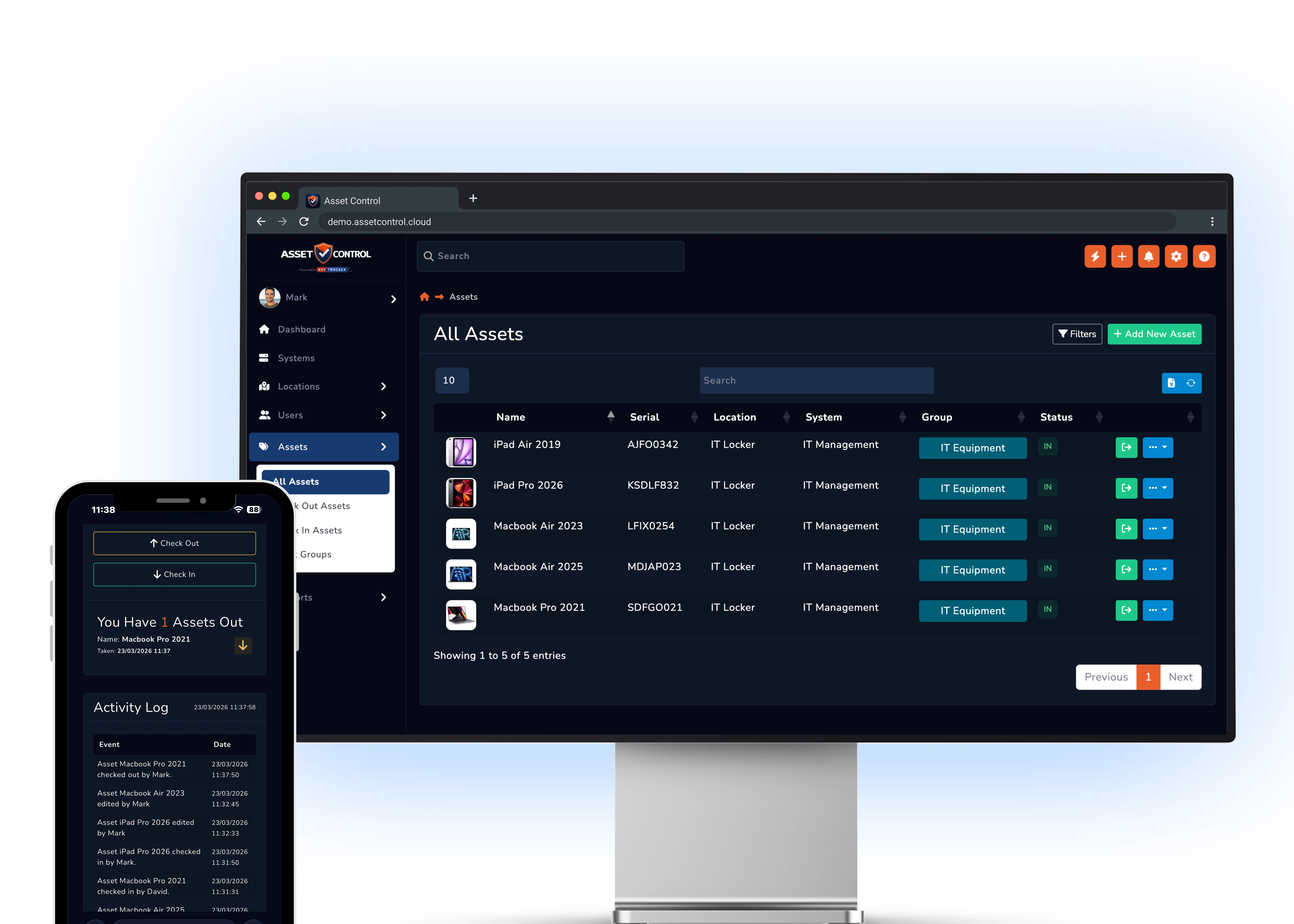
A repair request, a stock check or a recovery query starts with one identifier: ABC123. An entry that says “Dell laptop” is not enough when dozens of employees have the same model.
Keep serial numbers, asset identifiers and the named holder on the device record. Open the specific laptop to review its recorded assignment and handover history, then contact the right employee rather than emailing every department.
One office says it has no laptops available. Another has several in a cupboard, including one awaiting repair. Buying another device is easier than working out which of those machines is actually spare.
Record returned devices in the relevant store or office and retain their condition and repair history. IT can review the spare pool, select a suitable machine and record its next assignment with a clear handover.
Connect the device identifier, employee assignment and return history so routine handovers do not become recovery projects.

Organise returned stock by office, room or IT store so another team knows where to look.

Record laptop, monitor and accessory assignments against the recipient at issue.

Review faults and completed work before allocating a returned device to another employee.

Open the matching record using its barcode or QR label, then complete the check-in.

Review individual identifiers and custody history during stock checks, rather than counting identical models alone.

Let authorised staff update the device record when issue or return happens away from the main IT desk.
Leavers, starters and support requests need specific answers about individual machines.
Review the equipment assigned to them and record each return as it reaches IT.
Check recorded spare devices, their locations and support history before raising a purchase request.
Review the device’s recorded repair history when deciding what to issue next.
Use the serial-number record to identify its current holder and previous assignments.
Use one laptop and its accessories to try an employee assignment, a return and a fresh issue to the next starter.
Bring your device handover process to a demo. See how to record an employee’s equipment, find laptop ABC123, check it back in and prepare it for the next starter.
From the blog