 Check-in / check-out workflows
 Automatic alerts
 Audit-ready activity log
 Locations, areas & what3words
 Maintenance & servicing
 Barcode & QR scanning
 Work orders & requests
 Roles, permissions & teams
 Cloud-based, tenant isolated


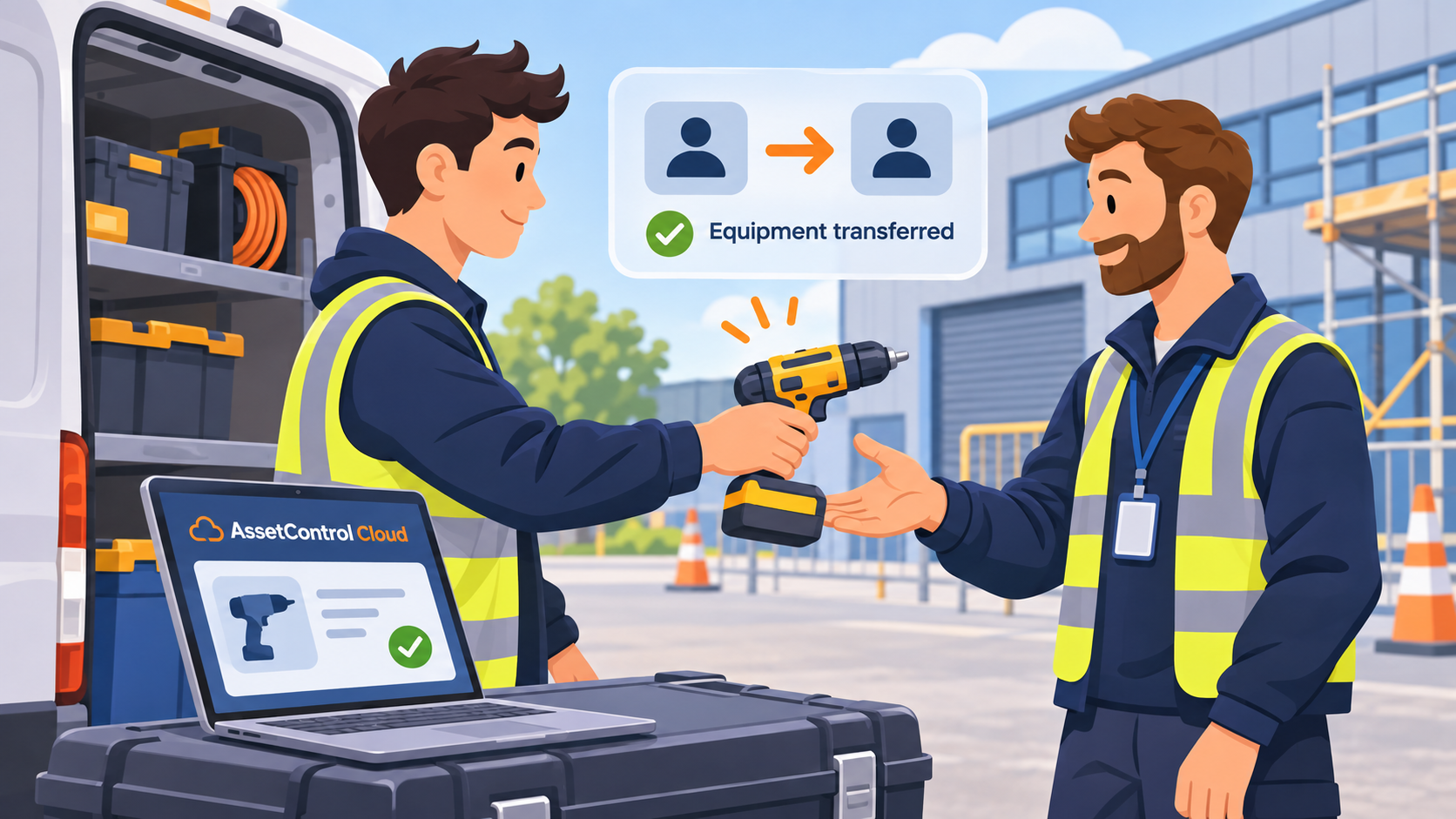
How to Track Equipment Transfers Between Engineers
Equipment doesn't always return to stores before changing hands. Discover how to track transfers between engineers, maintain accurate records and avoi...
Read articlePhysical asset & key checkout software
Track physical equipment and keys for buildings, vehicles and secure areas. See who has each item, where it is and when it is due back, with clear checkouts, reminders and a complete audit trail.
Know who has your equipment and keys, where they are, and when they’re due back.
Built for security, facilities, property & multi-site teams
No signup or credit card required.
Built on KeyTracker’s physical key and asset-control experience
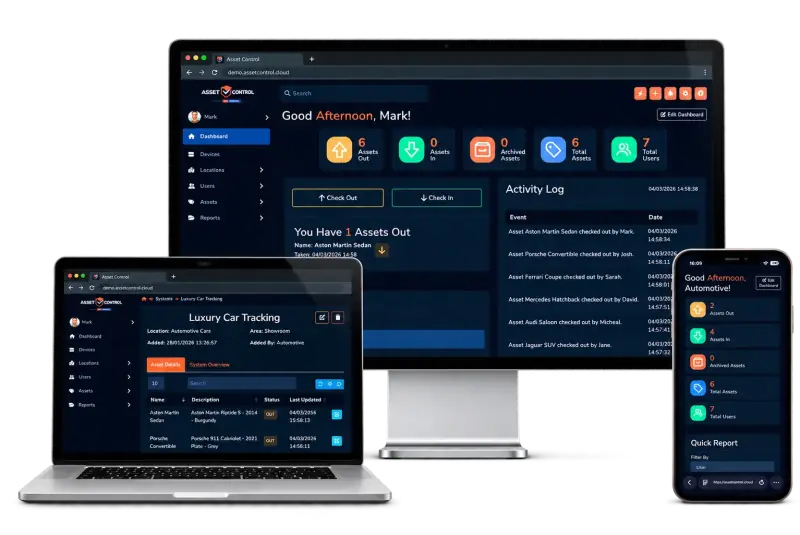
Reminders when maintenance is approaching or overdue.
Timestamped checkouts with users, locations and history.
Notify teams when assets or keys are due back or overdue.
One place for equipment, keys, checkouts and service reminders.
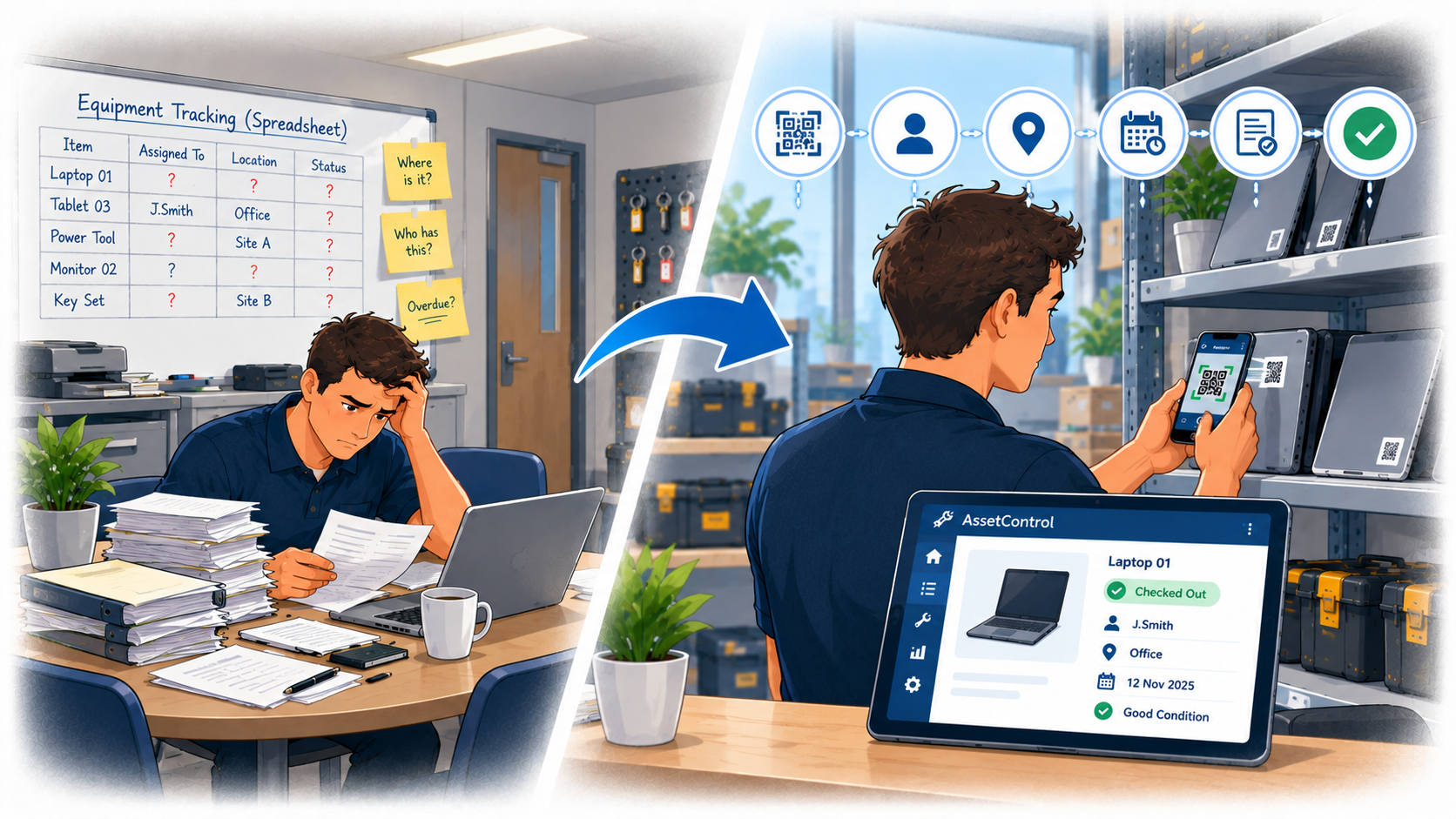
Spreadsheets cause duplicate entries, missed servicing dates and limited accountability. They were not built for day-to-day asset management or key control and they don’t scale.
AssetControl Cloud gives you current asset, holder and location records, check-in / check-out and user permissions, plus a complete audit trail, so teams can track assets and keys with confidence.
Press play to follow the workflow, or select a step to explore at your own pace.
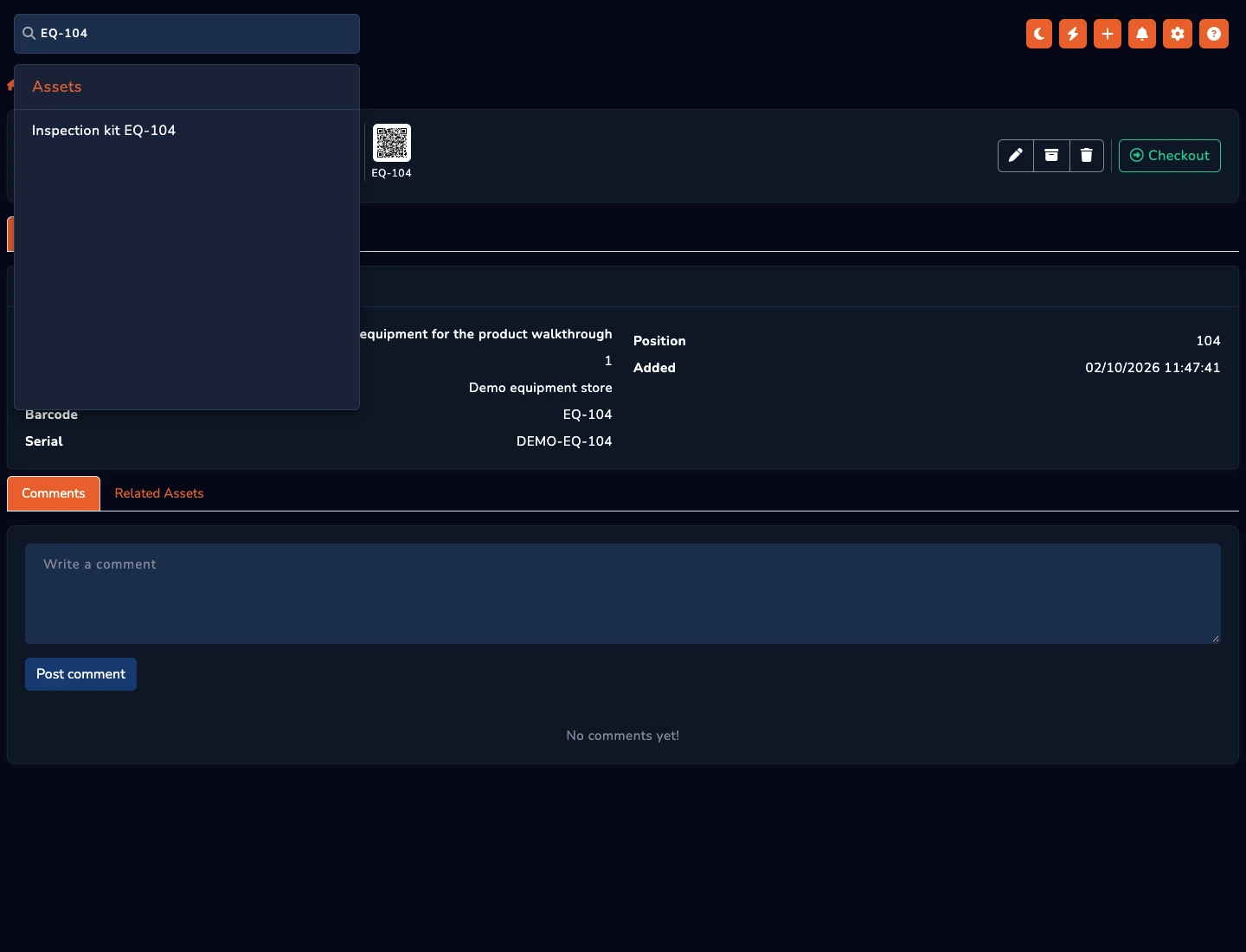
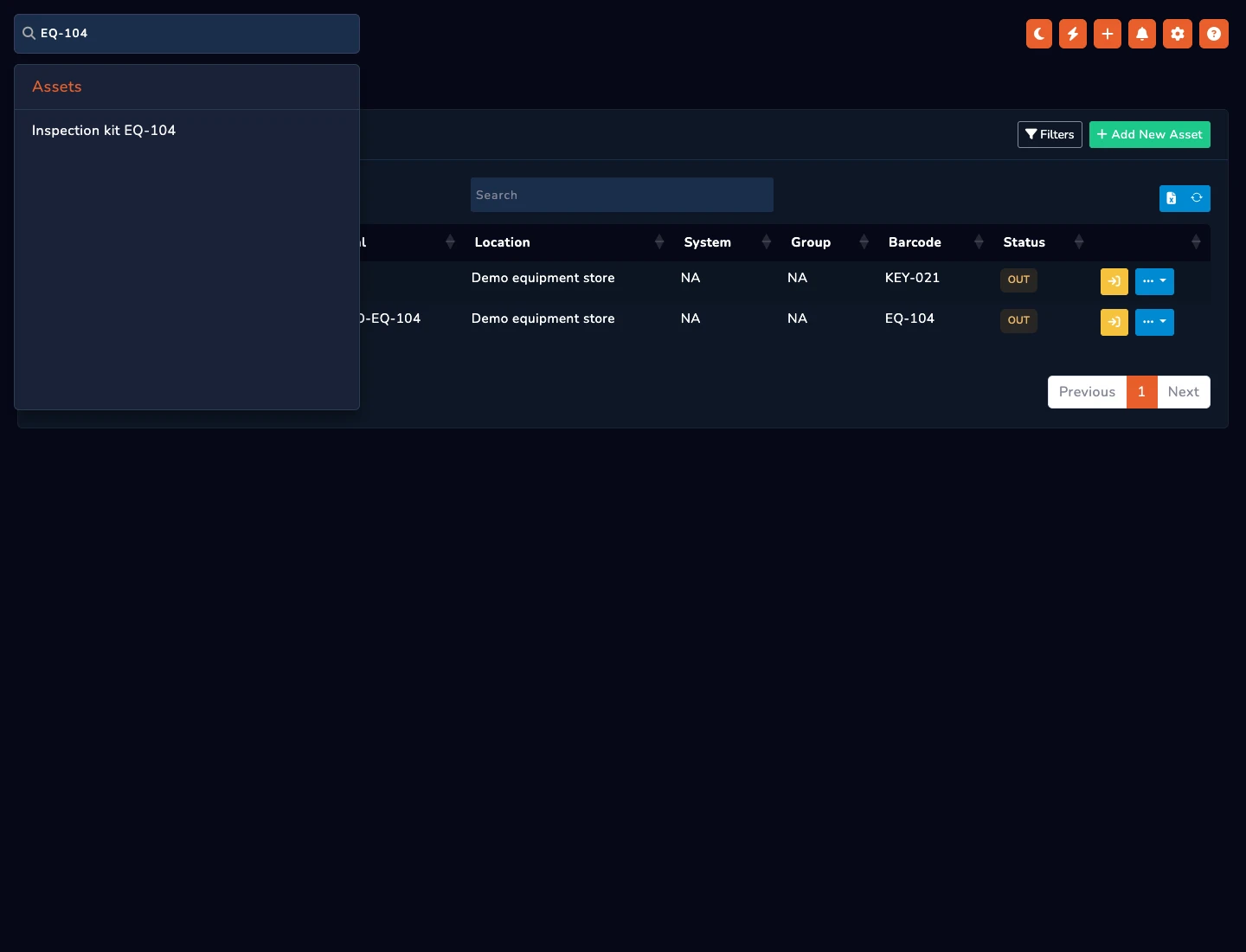
Look up barcode EQ-104 to identify the matching equipment record.
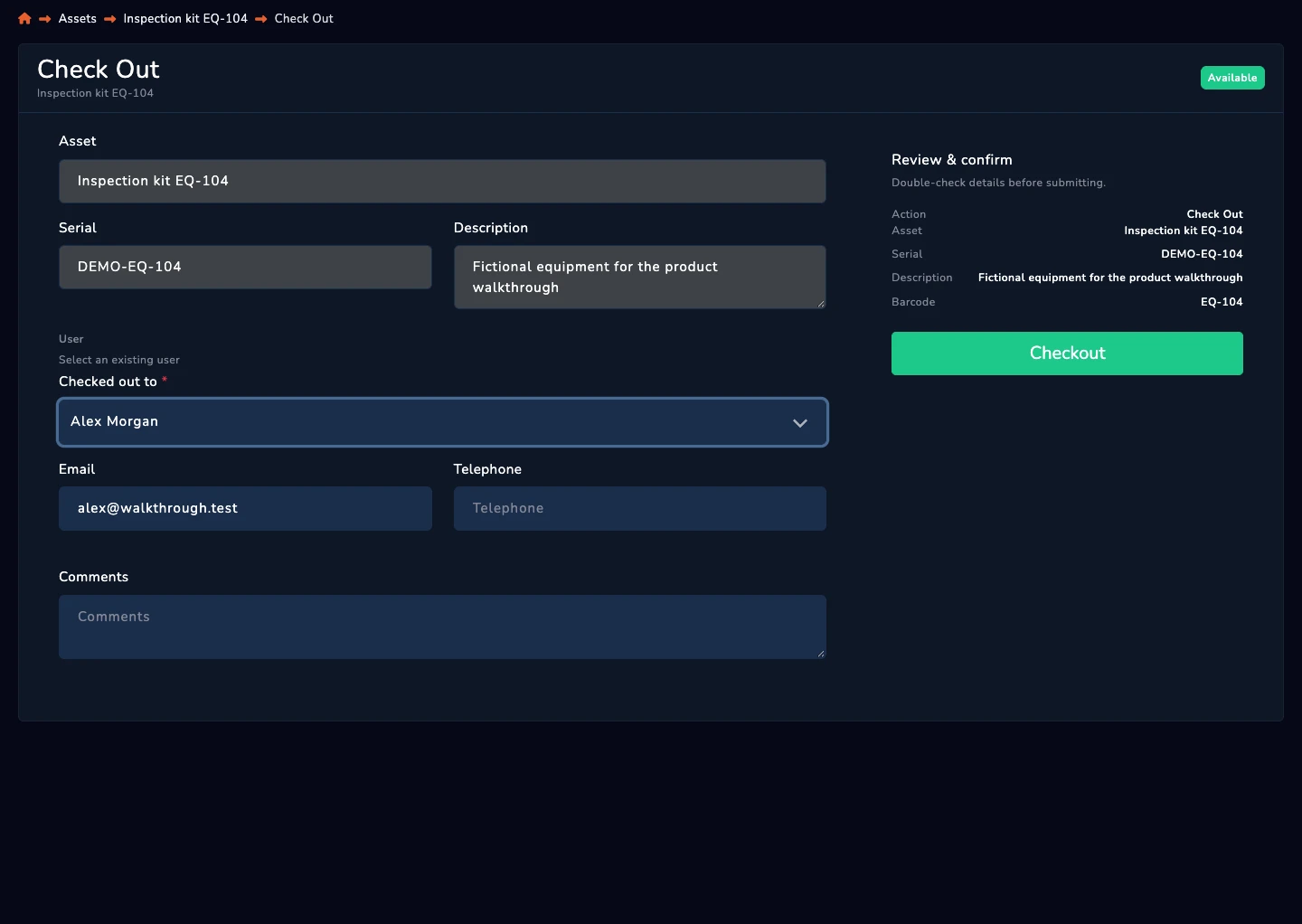
Select Alex Morgan as the holder in the checkout form.
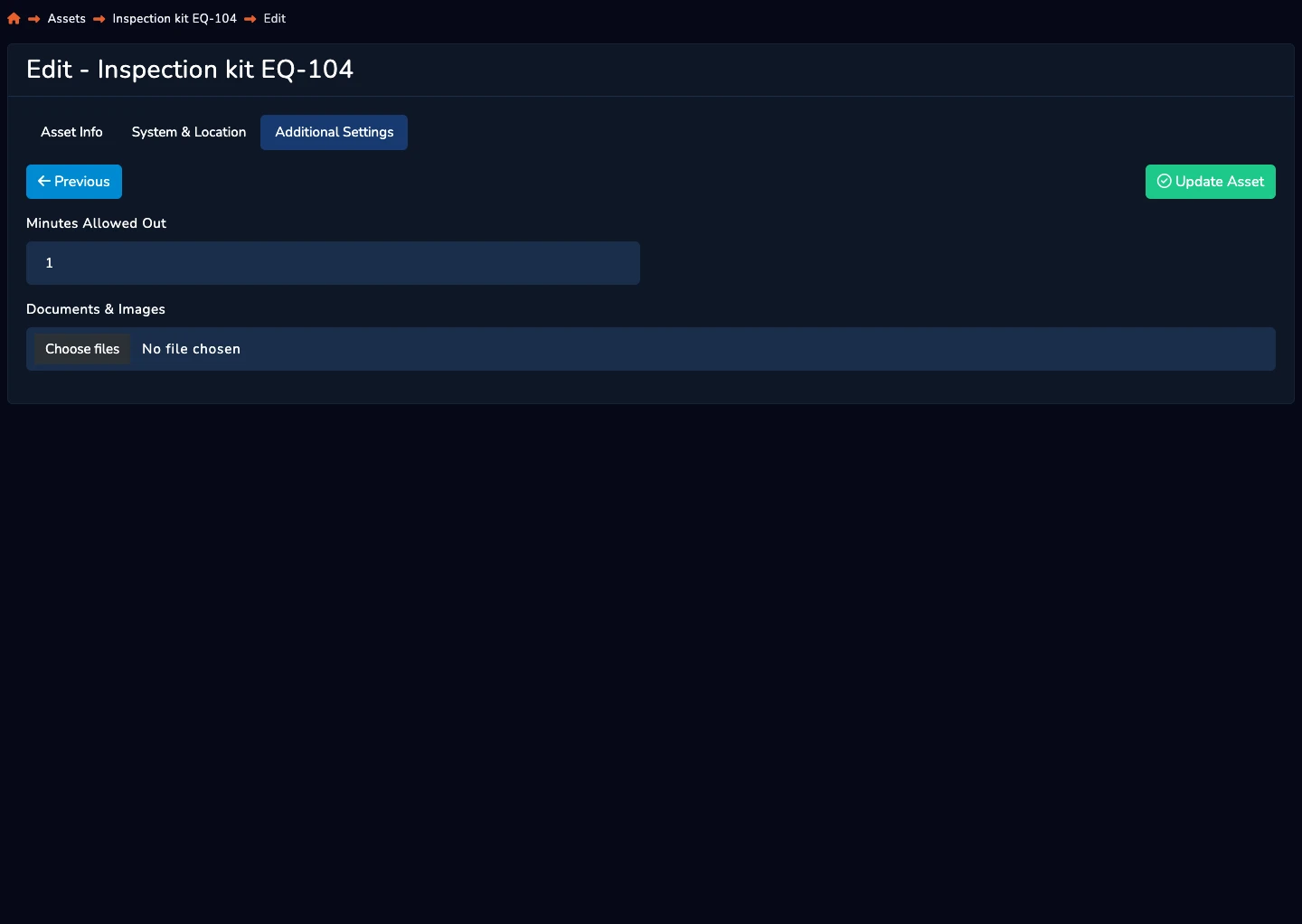
Configured before checkout, the asset time limit determines the expected return time. This is not a separate return-date picker.
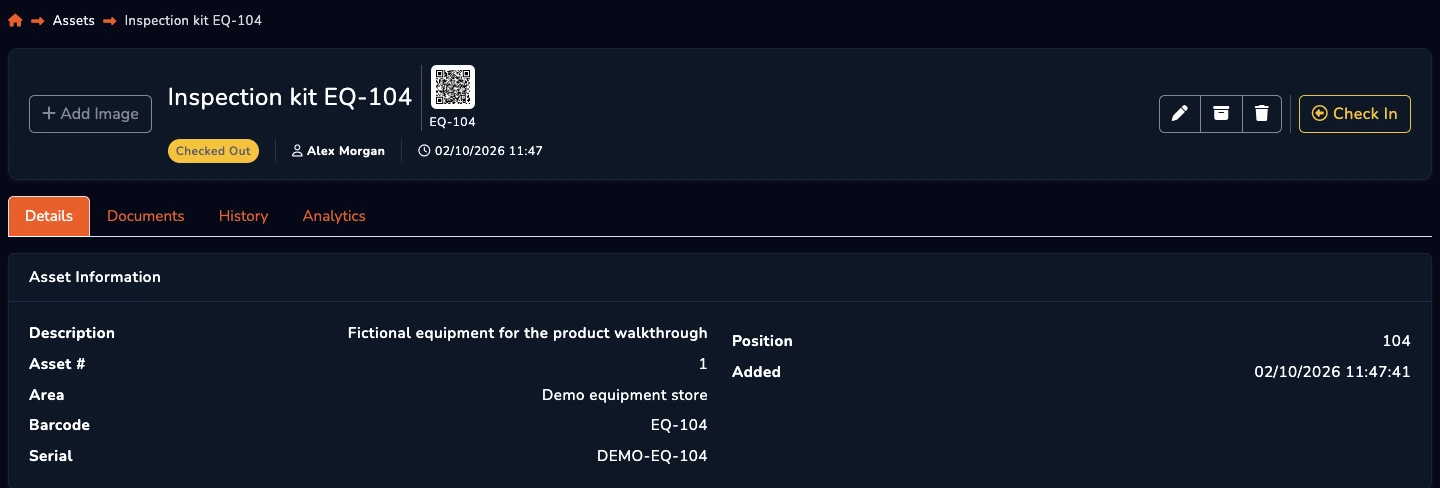
The asset record shows that EQ-104 is checked out to Alex.
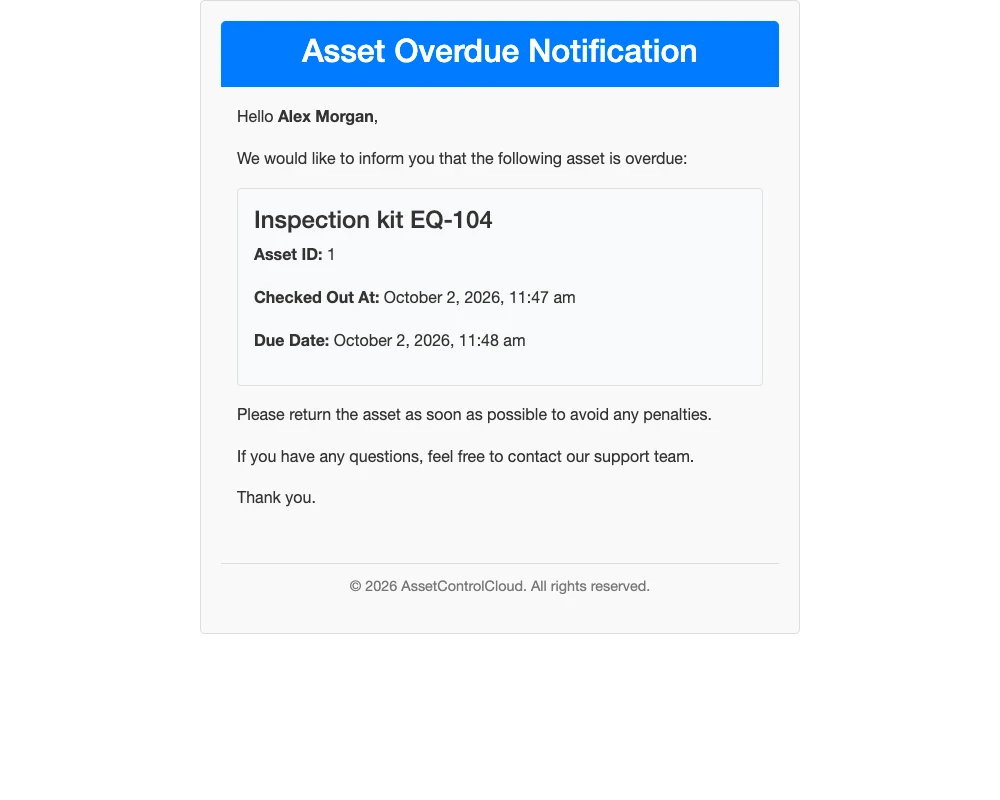
With overdue email alerts enabled, the scheduled check queues a reminder. This time jump illustrates a later event, not a 45-second delivery promise.
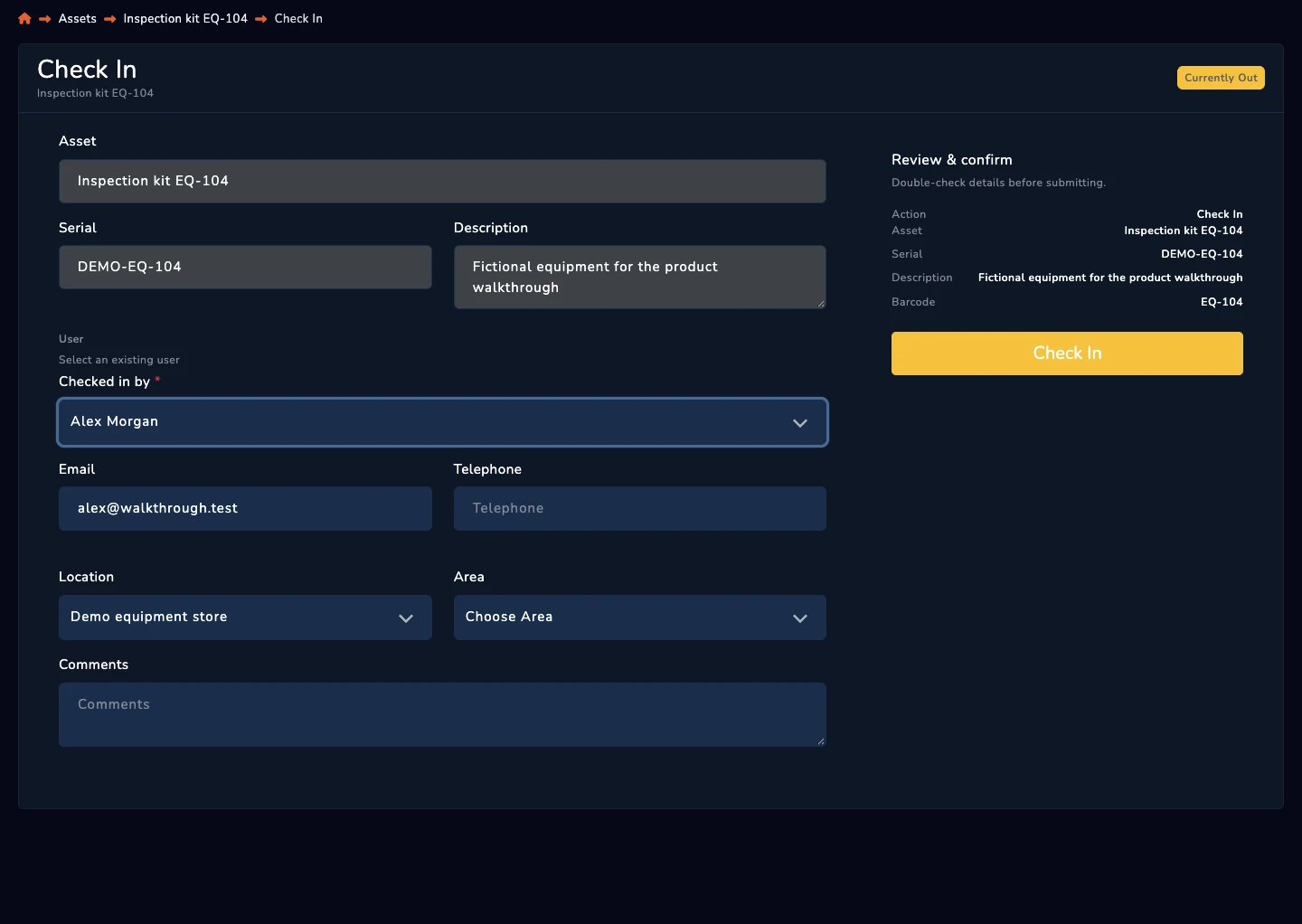
Confirm the return through the real check-in workflow.
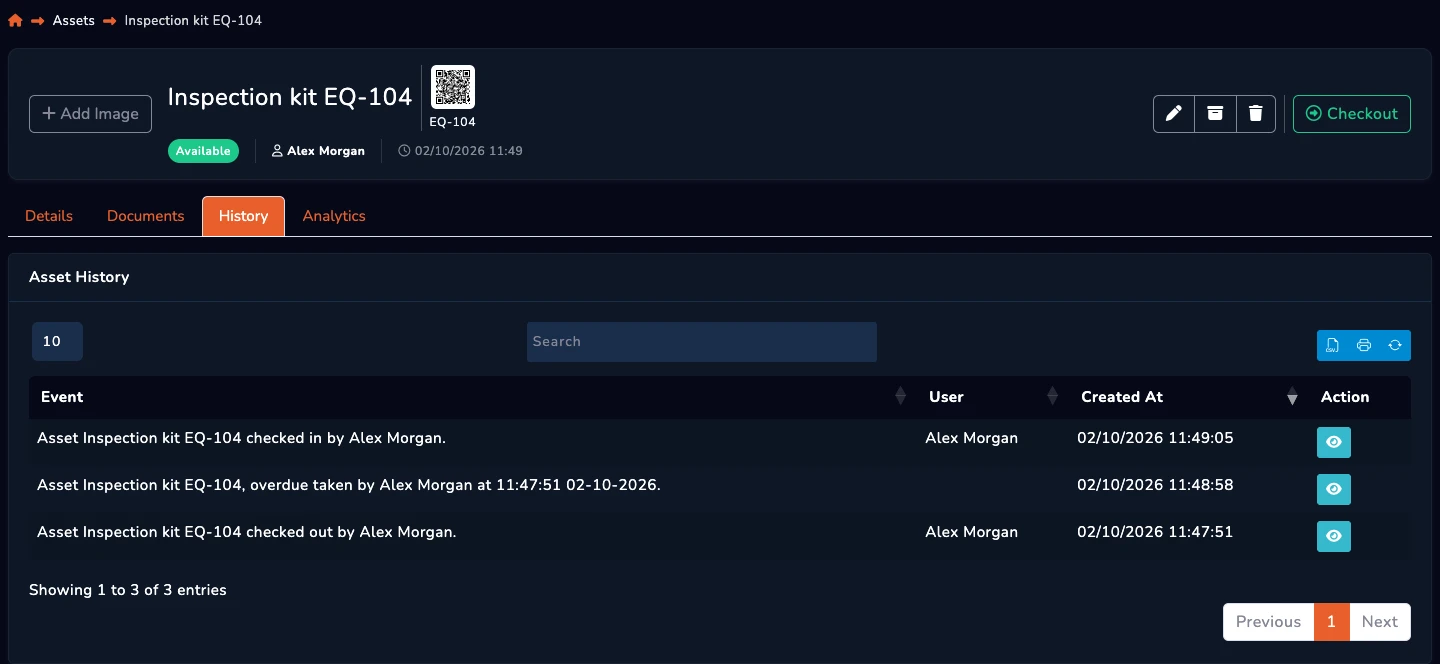
The asset history retains the checkout and return, with their recorded actors and timestamps.
Use the asset’s History tab to inspect its recorded transactions.
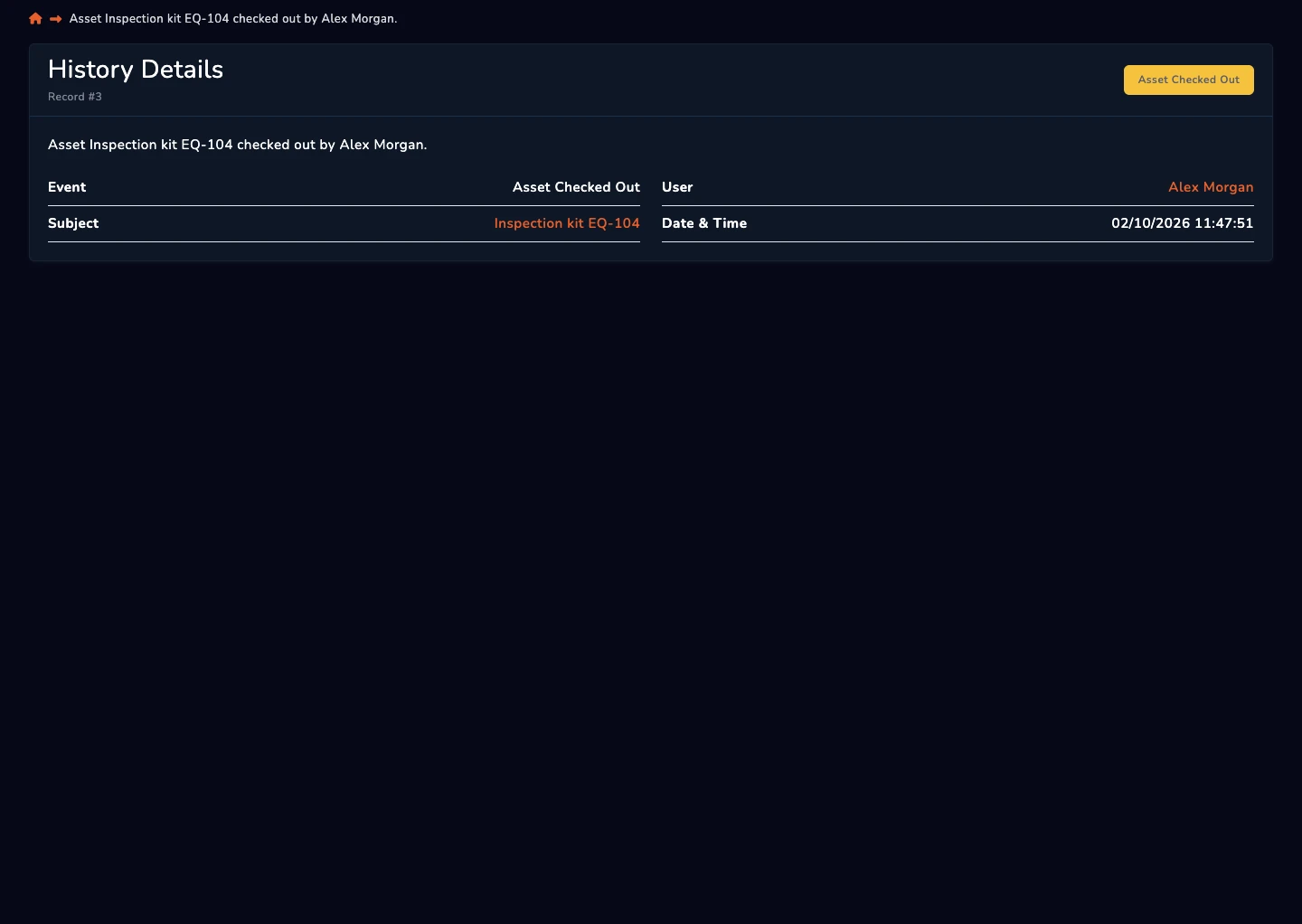
Open the transaction detail to see the recorded actor, action and timestamp. Access depends on the user’s permissions.
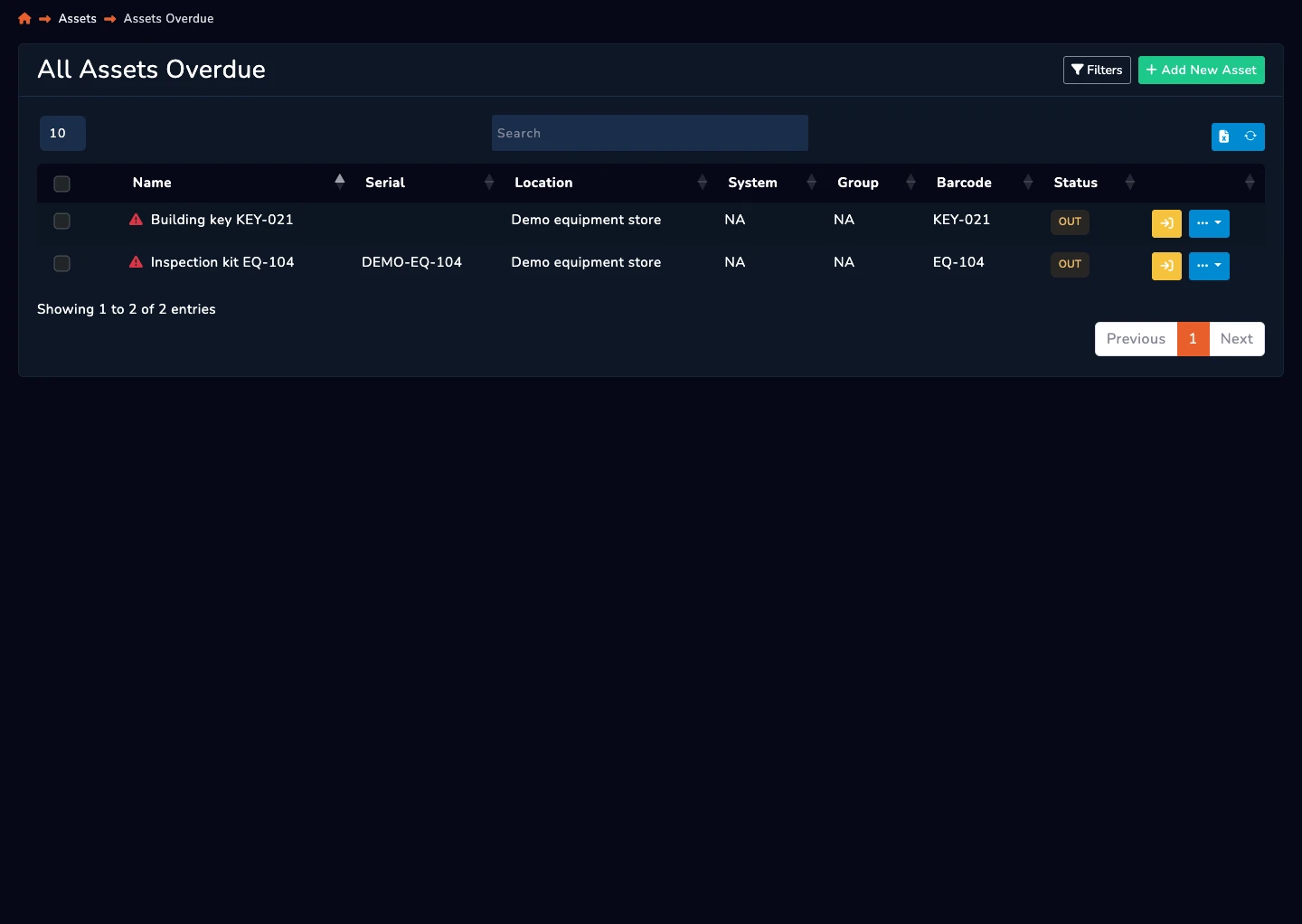
After its configured return time passes, the building key appears in the overdue view.
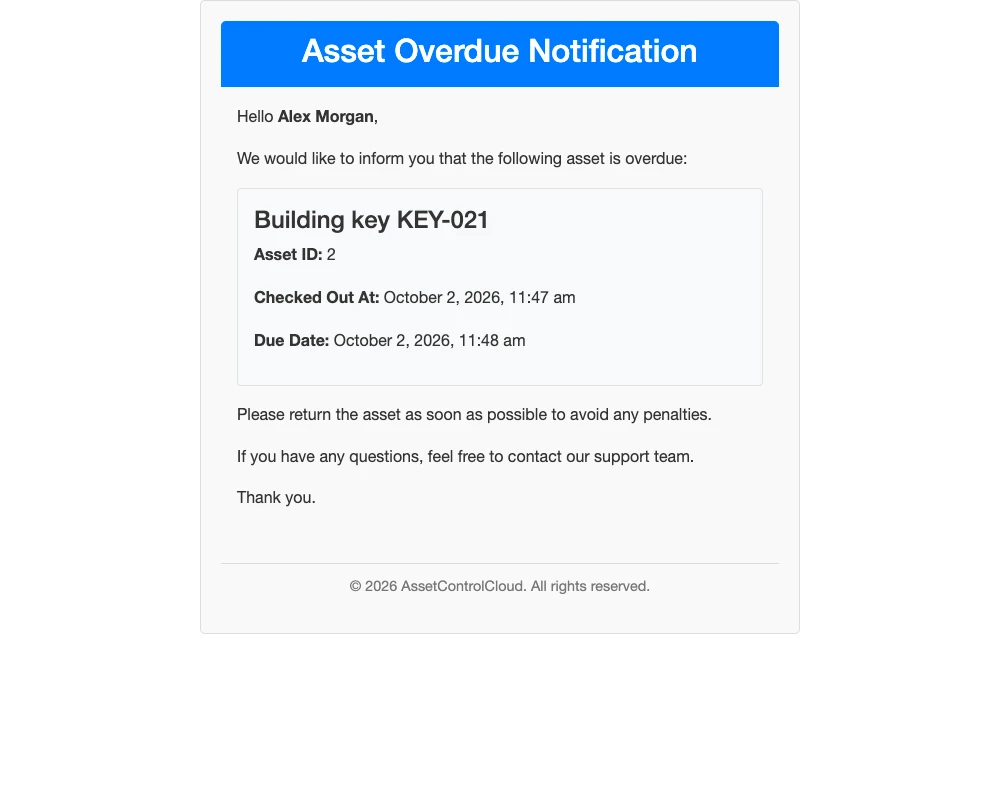
This is the actual overdue email template with demo data. Email alerts must be enabled; timing follows the configured delay and scheduled processing.
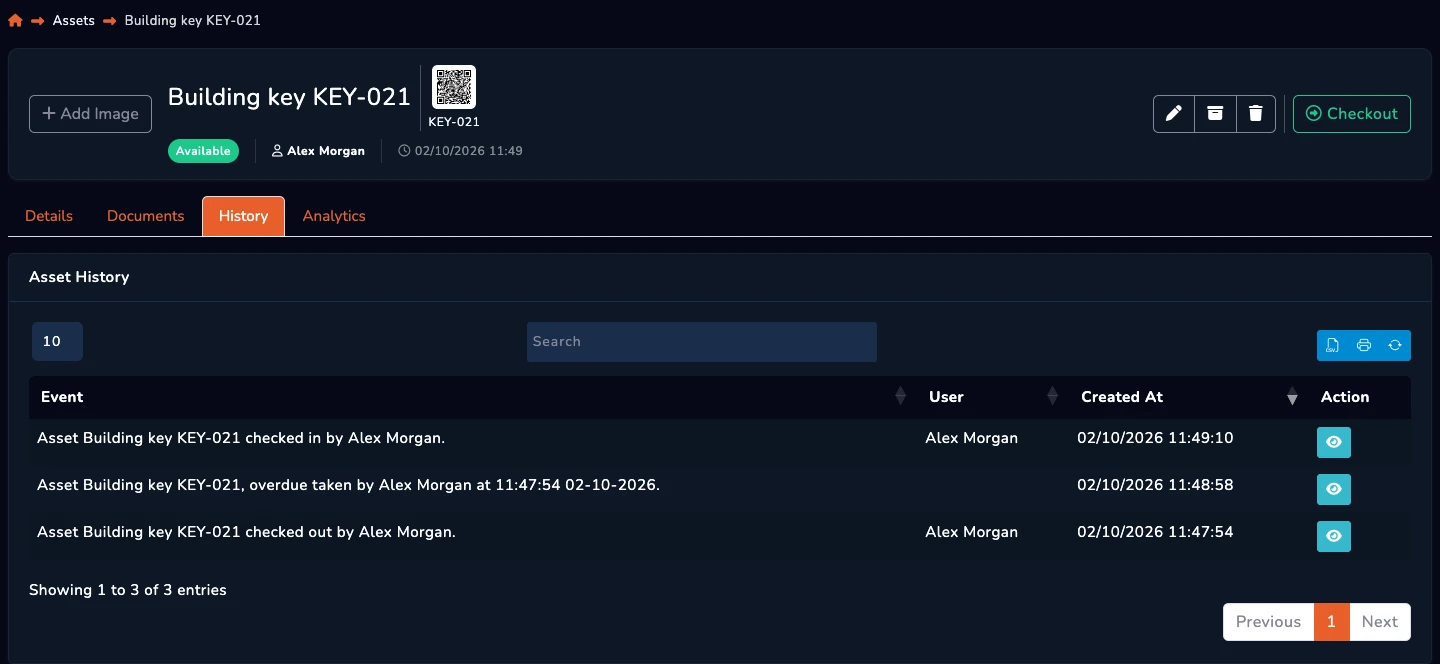
Check the key in and retain the transaction history.
Know what you have, where it is, and who is responsible. Track assets and keys across locations, areas, and users with a complete history.
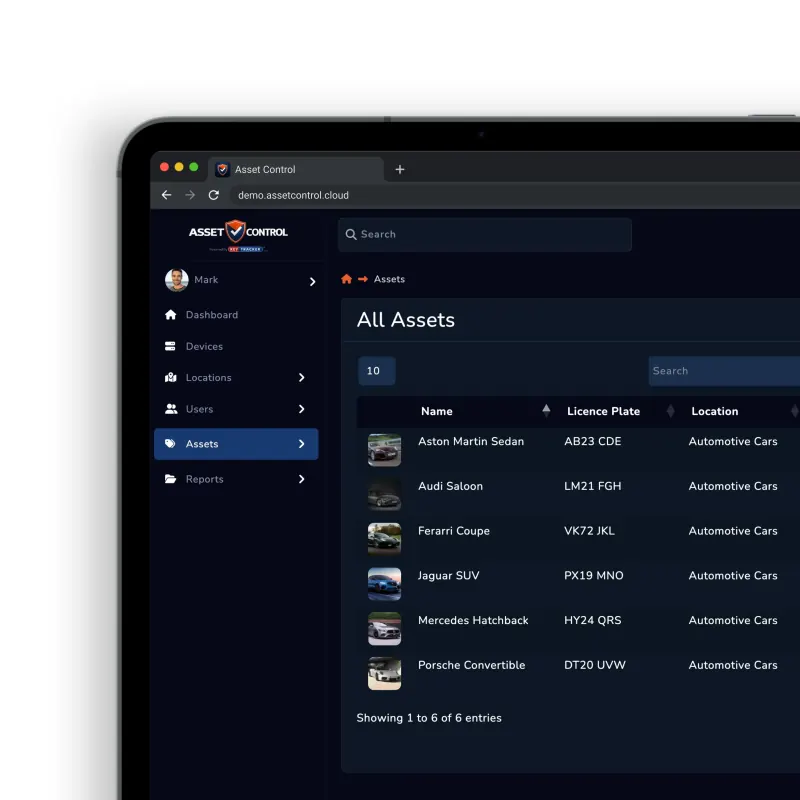
Check items in and out, manage servicing and keep a complete history of who used what, where and when.
Bring notifications, managed-device data and secure sign-in into the same asset-control workflow, so people can act without losing the operational record.
Send selected AssetControl alerts to each connected user’s Microsoft Teams activity feed.
Deliver selected alerts as direct messages, alongside the email notifications users already receive.
Use private, opt-in bot messages or connect a shared channel for organisation-wide alerts.
Send private notifications to connected users or route shared alerts to a team group chat.
Import managed devices as assets and update matched records by serial number or Intune ID on later syncs.
Give staff a secure single sign-on route using your organisation’s existing Microsoft identity.
AssetControl Cloud tracks physical assets and keys used for buildings, vehicles and secure areas, and works out of the box in a browser. Use AssetControl alongside labels, scanners, tamper-proof rings or GPS hardware where your workflow requires them.
Learn how AssetControl Cloud helps organisations manage assets and keys with check-in/check-out, permissions, locations and audit-ready reporting.
One platform for your everyday operation
Centralised records. Consistent workflows. Clear accountability.
Works in your browserTrack who has what, where it is, and when it is due back.
Every action is logged, with access controlled by roles.
Understand utilisation, compliance status, and asset lifecycle performance.
Intuitive interface designed for day-to-day operational use.
Physical key-control experience behind AssetControl Cloud.
AssetControl Cloud is a newer product, built by KeyTracker based on its experience in physical key and asset management.
KeyTracker was established in 1996 to help businesses manage multiple sets of physical keys.
KeyTracker company historyKeyTracker develops mechanical and electronic key and equipment-control systems, with an in-house research and development team.
KeyTracker product and development backgroundKeyTracker’s UK head office and factory are in Rowley Regis, with published technical-support and installation contacts.
KeyTracker UK operation and support contactsKeyTracker publishes experience in automotive, emergency services, manufacturing, property and facilities operations.
KeyTracker sector experienceKeytracker’s security credentials and their scope are documented in our Security & Trust Centre.
See how customers are using AssetControl Cloud to improve visibility, accountability, and day-to-day control across their assets, equipment and physical key checkout processes.

“AssetControl provides comprehensive monitoring and management of both our assets and our clients’ keys. The system is user‑friendly, straightforward to configure, and delivers valuable insight by allowing us to track the location and status of our assets at all times.”
With a growing need to securely manage keys alongside a wide range of operational assets, Classic Services Group - a security services and keyholding provider - required a more structured, centralised way to track and control access. To address this, they imp...
Quick answers about AssetControl Cloud software for physical assets and keys used for buildings, vehicles and secure areas, including hardware options, setup, exports and security.
Still got questions? Contact our team or view pricing.
AssetControl Cloud brings current asset, holder and location records together with checkouts, reminders and an audit trail — without spreadsheets.
Prefer a quick chat? Contact us and we’ll help you pick the right plan.

Understand the problem, compare options and plan your rollout.
Visit the resource centreFrom the blog