Check-in and check-out feature
Asset Check-In and Check-Out
Replace verbal handovers and paper sign-out sheets with a clear checkout and return workflow connected to every asset record.
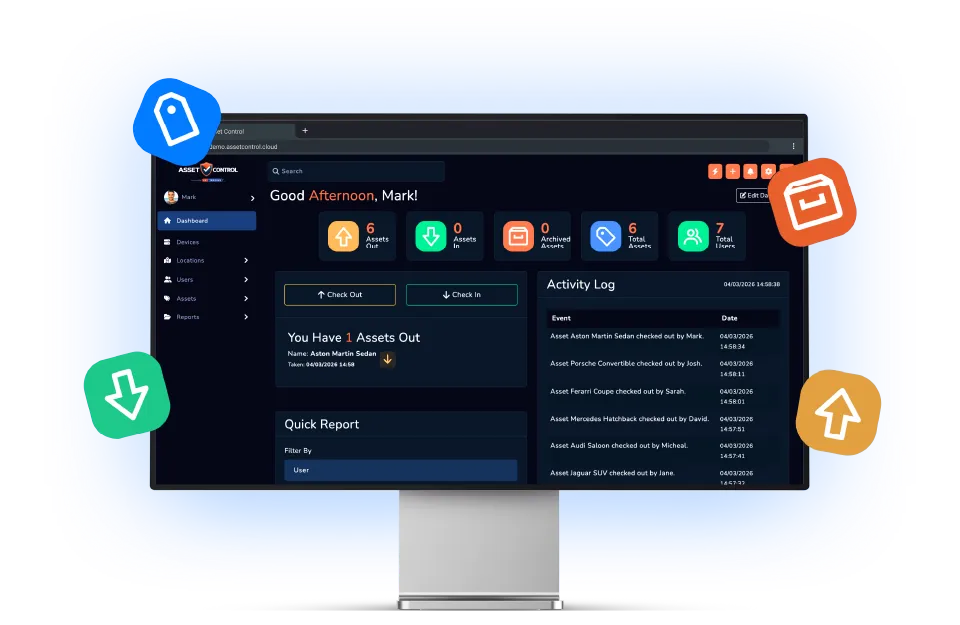

Part of the AssetControl Cloud platform
What this feature does
Shared equipment becomes difficult to control when handovers happen informally. AssetControl Cloud records the holder, issue time, expected return and completed return so responsibility remains visible.
It works inside the same platform your team uses for assets, users, locations and reporting, so the information remains useful beyond one isolated task.
Issue items to a named holder
Select an asset or physical key and record the user, team or location taking responsibility for it.
Record expected and actual returns
Add a due-back date for temporary issues, then close the transaction when the item comes back.
Preserve every handover
Keep previous issues, returns and movements connected to the asset instead of overwriting the last spreadsheet entry.
Why it matters
The business value behind the feature
Measure this feature by the improvement it makes to everyday operations—not by another box on a feature list.
Accountable handovers
Connect every issue and return to the responsible user, team or location.
Due-back visibility
See which items are expected back and focus follow-up on overdue assets.
Complete transaction history
Review previous holders and movements without piecing together messages or spreadsheets.
The operational case for change
A better process, not another field
The feature earns its place by changing how the work gets done.
Where teams lose time today
Without a formal issue process, the asset register may say an item exists while nobody can confidently say who took it. Supervisors lose time asking around, replacement purchases happen too early, and returns depend on individual memory.
What changes with AssetControl Cloud
Check-in and checkout become part of the normal handover. The holder and expected return are captured while the item changes hands, so the record is created at the moment it is most useful rather than reconstructed later.
For a buyer, the value is operational discipline without an unnecessarily complicated process. AssetControl Cloud gives staff a straightforward transaction and gives management a dependable chain of responsibility.
How it fits the workflow
From asset record to completed action
- 1
Identify the asset or physical key.
- 2
Select the responsible user, team or destination.
- 3
Set a return date when the item is temporary.
- 4
Complete the return and preserve the history.
Useful for
- Equipment loans
- Tool-store issues
- Laptop assignments
- Physical key handovers
This feature works with AssetControl Cloud’s asset records, users, locations, permissions and reporting rather than operating as a disconnected tool.