Cloud platform feature
Secure Cloud Access and Tenant Isolation
Give authorised teams convenient browser access while each customer organisation operates within its own isolated tenant environment.
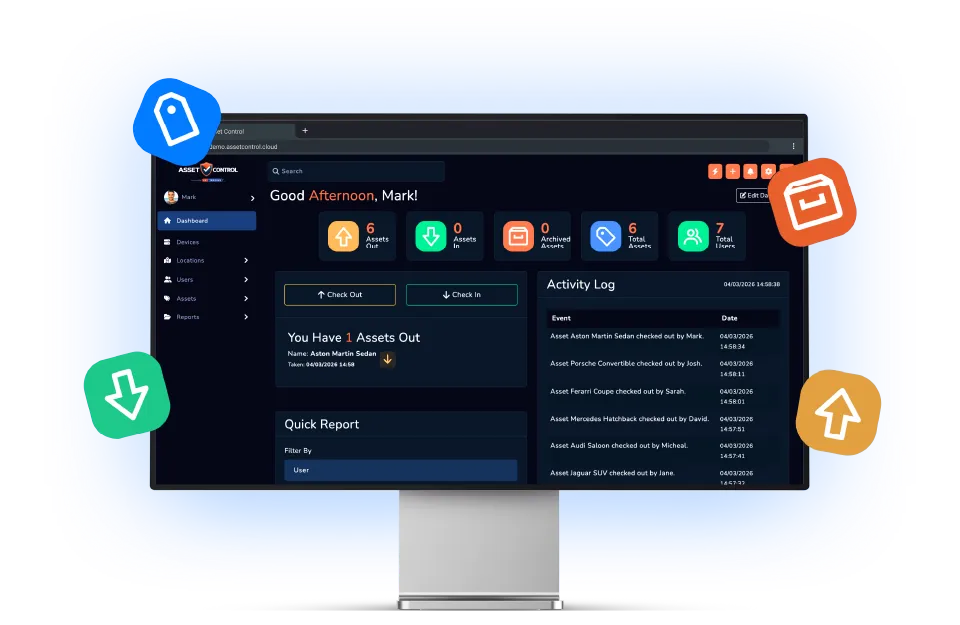

Part of the AssetControl Cloud platform
What this feature does
Locally managed systems create additional infrastructure, update and remote-access work. A cloud service lets operational teams focus on the asset process rather than running the platform.
It works inside the same platform your team uses for assets, users, locations and reporting, so the information remains useful beyond one isolated task.
Access through the web
Give authorised users access to the current platform from supported connected devices and locations.
Operate in an isolated tenant
Keep each customer organisation within its own tenant environment and data context.
Avoid local asset servers
Use the service without deploying and maintaining a separate on-premises application server for the asset platform.
Why it matters
The business value behind the feature
Measure this feature by the improvement it makes to everyday operations—not by another box on a feature list.
Accessible operations
Reach the platform from supported connected devices without installing a local server.
Tenant separation
Keep each customer organisation within an isolated tenant environment.
One current platform
Avoid separate spreadsheet copies and disconnected installations across sites.
The operational case for change
A better process, not another field
The feature earns its place by changing how the work gets done.
Where teams lose time today
A local application adds server ownership, deployment decisions and remote-access considerations to an asset problem. Separate site installations can also create different versions and fragment the organisation’s view.
What changes with AssetControl Cloud
Authorised users work with one current cloud platform while the organisation remains within its isolated tenant environment. New sites and teams can join the operating model without deploying another local instance.
The commercial advantage is a lower infrastructure burden and a clearer route to multi-site use. Buyers can direct implementation effort toward data, roles and working practices instead of maintaining another application stack.
How it fits the workflow
From asset record to completed action
- 1
Set up the organisation’s AssetControl Cloud environment.
- 2
Invite authorised users and assign their access.
- 3
Structure sites, teams and assets.
- 4
Use the same current platform across the operation.
Useful for
- Distributed teams
- Multiple sites
- Remote oversight
- Growing organisations
This feature works with AssetControl Cloud’s asset records, users, locations, permissions and reporting rather than operating as a disconnected tool.