Every business depends on its equipment. Laptops, tools, vehicles, machinery, office hardware - these things keep operations running. But because they're used constantly, they rarely get the attention they deserve from a management perspective.
The result? Devices get passed between staff with no record. Tools disappear between sites. New purchases get logged while old ones never get removed. Before long, nobody really knows what the business owns, where it is, or who's responsible for it.
If that sounds familiar, you're not alone - it's one of the most common reasons businesses end up losing track of their assets in the first place.
This guide covers the core asset tracking best practices that help businesses fix that - and keep it fixed as they grow.
What is asset tracking and why does it matter?
Asset tracking is the process of recording, monitoring and managing the physical equipment a business owns. A good system tells you what you have, where it is, who's got it and what condition it's in - all in one place.
Without it, businesses tend to run into the same problems: duplicate purchases, missing equipment, wasted time during audits, and poor visibility when it comes to planning spend. Poor asset visibility doesn't just cause inconvenience - it actively slows operations down and costs money.
If you're not sure what asset management software actually involves, this overview is a good starting point before diving into the best practices below.
1. Keep all asset information in one centralised system
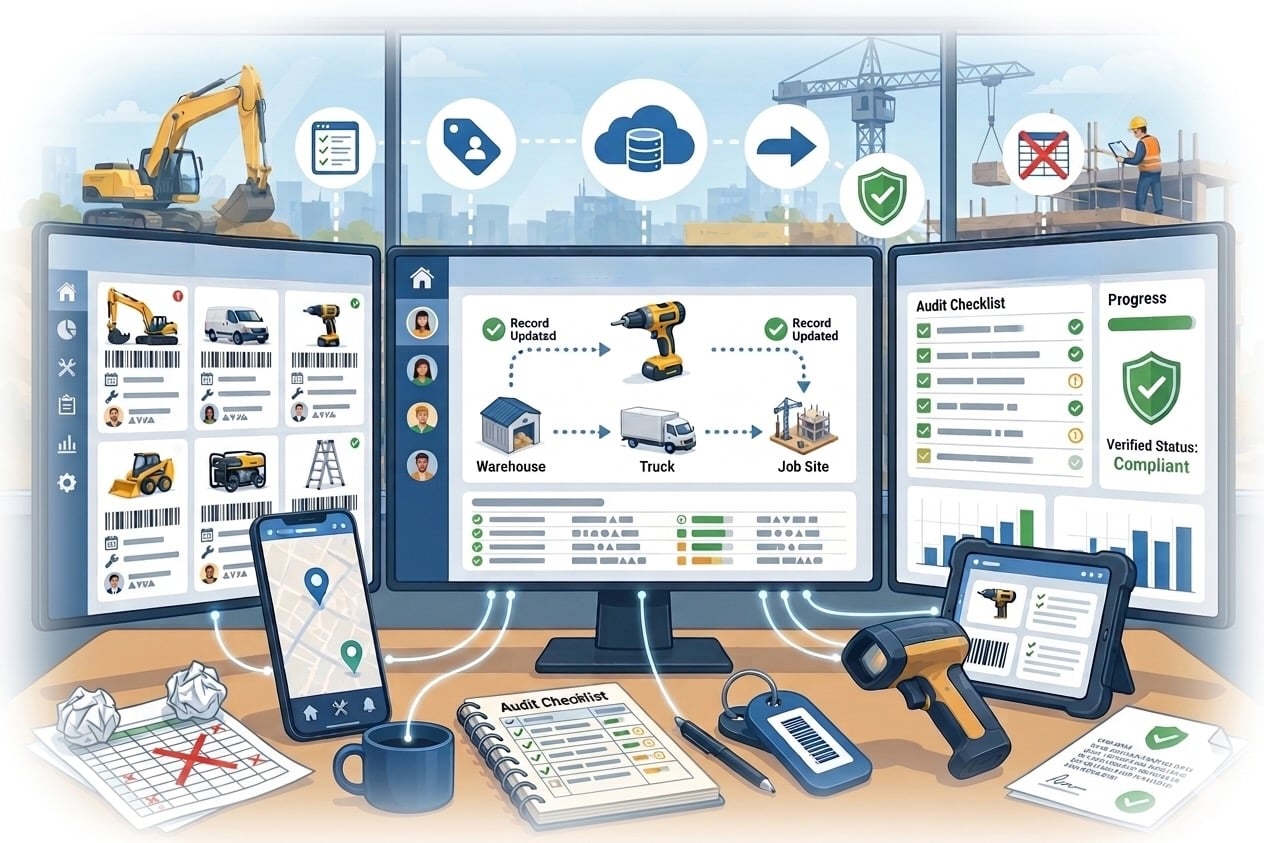
If your asset records are split across spreadsheets, emails, shared drives and department documents, you don't really have asset tracking - you have organised chaos.
Centralising everything into a single system is the single most effective thing a business can do. One source of truth means:
- No conflicting versions of the same record
- Any team member can check an asset's status in seconds
- Updates happen in one place and reflect everywhere immediately
This is especially important as a business scales. What works across 20 assets in a spreadsheet falls apart at 200. A dedicated platform like AssetControl Cloud keeps everything in one cloud-based system, accessible from anywhere, across as many sites as you need.
2. Record the right details when assets are first logged
The moment a new piece of equipment comes into the business is the best time to capture information about it. It takes a couple of minutes and saves hours later.
Useful details to log for each asset include:
- Make, model and serial number
- Purchase date and supplier
- Cost and warranty expiry
- Assigned location or department
- Condition and any relevant notes
These details become valuable when you're organising maintenance, making warranty claims, planning replacements or preparing for an audit. Without them, you're guessing - and guessing gets expensive.
3. Assign clear ownership and responsibility
Every asset should have a name next to it - whether that's a specific employee, a team or a location. When ownership is ambiguous, accountability disappears with it.
Clear assignment means:
- You always know who has what
- Retrieval is fast when something is needed
- Staff take better care of equipment they're linked to in the system
- Disputes about missing items are easier to resolve
This applies across every type of team. IT teams need to know exactly which devices are assigned to which users. Facilities teams need visibility over shared equipment across multiple sites. Security teams need to track both physical assets and keys with a clear chain of responsibility.
4. Update records whenever assets move
Assets don't stay in one place. A laptop gets reassigned when someone leaves. A drill goes out to a job site. Equipment gets relocated between offices.
Every one of those movements should be recorded at the time it happens - not the next day, not at the next audit.
This is where a lot of asset tracking systems fall down. The setup is solid but the discipline to update records consistently isn't built into workflows. Making asset updates a required step in handover processes, IT offboarding checklists or project closeouts goes a long way toward keeping records accurate. Check-in/check-out functionality in AssetControl Cloud makes this easy - every movement is timestamped and tied to a user automatically.
If you manage keys alongside physical assets, it's worth reading our guide on connecting key management to your wider asset tracking - the same principle applies and the two are more linked than most people realise.
5. Run regular asset audits
Even with good processes in place, periodic physical audits are still worth doing. An audit lets you cross-reference what the system says against what actually exists.
Regular checks help you:
- Spot assets that have gone missing
- Flag equipment that's no longer in use
- Identify items that need repair or replacement
- Remove outdated records and keep the register clean
These don't need to be major undertakings. A quarterly review across departments, or an annual full audit, can keep things tidy without disrupting daily operations. For a deeper look at how to approach this properly, our guide on asset compliance and auditing covers it in full.
6. Use software that's built for the job
Spreadsheets are a reasonable starting point for very small operations, but they have a ceiling. As asset numbers grow, as teams expand and as equipment moves more frequently, manual spreadsheet management becomes a source of errors rather than a solution to them.
A dedicated asset management software platform removes the friction. Records are stored centrally in the cloud, updates are quick, and visibility is clear across the whole organisation - with a full audit trail behind every action.
If you're in the process of evaluating options, our guide to choosing the best asset tracking software for UK businesses covers what to look for and how to avoid common mistakes.
AssetControl Cloud is built specifically for this. Whether you're managing 50 assets or 5,000, it stays clean, accessible and audit-ready.
Quick summary
| Practice | Why it matters |
|---|---|
| Centralise all records | Removes conflicting data, saves time |
| Log key details upfront | Makes audits, warranties and planning easier |
| Assign ownership clearly | Improves accountability and retrieval speed |
| Update records in real time | Keeps the system accurate and trustworthy |
| Audit regularly | Catches gaps before they become costly |
| Use dedicated software | Scales with the business in a way spreadsheets can't |
Not sure where to start?
Download the free Asset Tracking Checklist and Template - it's a practical resource that helps you review your current process, spot gaps, and get a cleaner starting point without the spreadsheet headache.
Or if you're ready to see how AssetControl Cloud works in practice, book a demo and we'll walk you through it.