How to Choose the Best Asset Tracking Software for UK Businesses (2026)
Learn how to choose the best asset tracking software for your business. Discover key features to look for, why spreadsheets fail, and how to improve a...
Read articleIT asset management role guide
An IT asset manager creates the ownership, data and processes needed to control technology assets throughout their lifecycle. The role can cover physical hardware, software licences, SaaS subscriptions, cloud resources, contracts and the relationships between them.
The short answer
The IT asset manager is responsible for trustworthy lifecycle information and the decisions it supports—not merely maintaining an inventory. Effective managers define ownership, connect procurement and deployment with support and disposal, control risk and cost, and select software that matches the organisation’s hardware, software and cloud scope.
How this guide was prepared: This role guide is published by AssetControl Cloud. The product supports physical IT equipment custody, locations, checkouts, servicing and history; it is not represented as an automated discovery, software-licensing, CMDB, MDM or cloud-cost platform.
At a glance
Compare the approaches, then use the guidance below to decide what fits your operation.
| Decision factor | IT asset manager responsibility | How software can support it |
|---|---|---|
| Policy and ownership | Define asset scope, lifecycle rules, data owners, controls and exception processes. | Permissions, required fields, statuses, approvals, audit history and documented workflows. |
| Inventory accuracy | Maintain a trustworthy view of hardware, software, subscriptions and cloud assets within scope. | Imports, discovery or management integrations, labels, scanning, reconciliation and exception reporting. |
| Lifecycle control | Connect request, purchase, receipt, deployment, support, recovery and retirement activity. | Linked records, assignments, dates, transactions, service history and disposal evidence. |
| Cost and contracts | Support purchasing, renewal, warranty, utilisation and replacement decisions. | Purchase and contract data, renewal alerts, usage evidence, reports and finance integrations. |
| Risk and compliance | Identify unsupported, unlicensed, missing or insecure assets and preserve evidence of control. | Access controls, licence positions, audit logs, encryption, retention and security-tool integrations. |
| Stakeholder coordination | Align IT operations, service desk, security, finance, procurement, HR and users. | Shared identifiers, workflow integrations, ownership queues, notifications and role-specific views. |
A useful inventory says what technology the organisation has. IT asset management goes further by defining how assets are requested, purchased, received, assigned, supported, recovered, reused and retired. The manager makes sure each stage has an owner, reliable evidence and a route for resolving exceptions.
Scope varies by organisation. One role may concentrate on laptops, mobile devices and peripherals; another may also own software licensing, SaaS subscriptions, data-centre equipment and cloud resources. The boundaries should be explicit because each category requires different data sources, specialist controls and stakeholders.
Before purchase, the IT asset manager can define standards, challenge duplicate demand and help forecast requirements. At receipt and deployment, the role ensures assets are identified, recorded and assigned. During use, it supports custody, maintenance, warranty, inventory, licence and security processes.
Recovery and retirement are equally important. Joiner, mover and leaver workflows should return equipment and remove access promptly. Reusable devices need a controlled route back into stock, while disposal should address data handling, environmental obligations, ownership records and suitable evidence.
Procurement and finance hold supplier, purchase and financial records. HR knows when people join, change role or leave. Security needs an accurate view of devices and software exposure. The service desk sees repairs and user changes, while infrastructure teams operate discovery and device-management platforms.
The IT asset manager connects these perspectives without assuming one database can replace every specialist system. Agree common device, user, contract and software identifiers; decide which source owns each field; and exchange only the events needed to keep lifecycle decisions current.
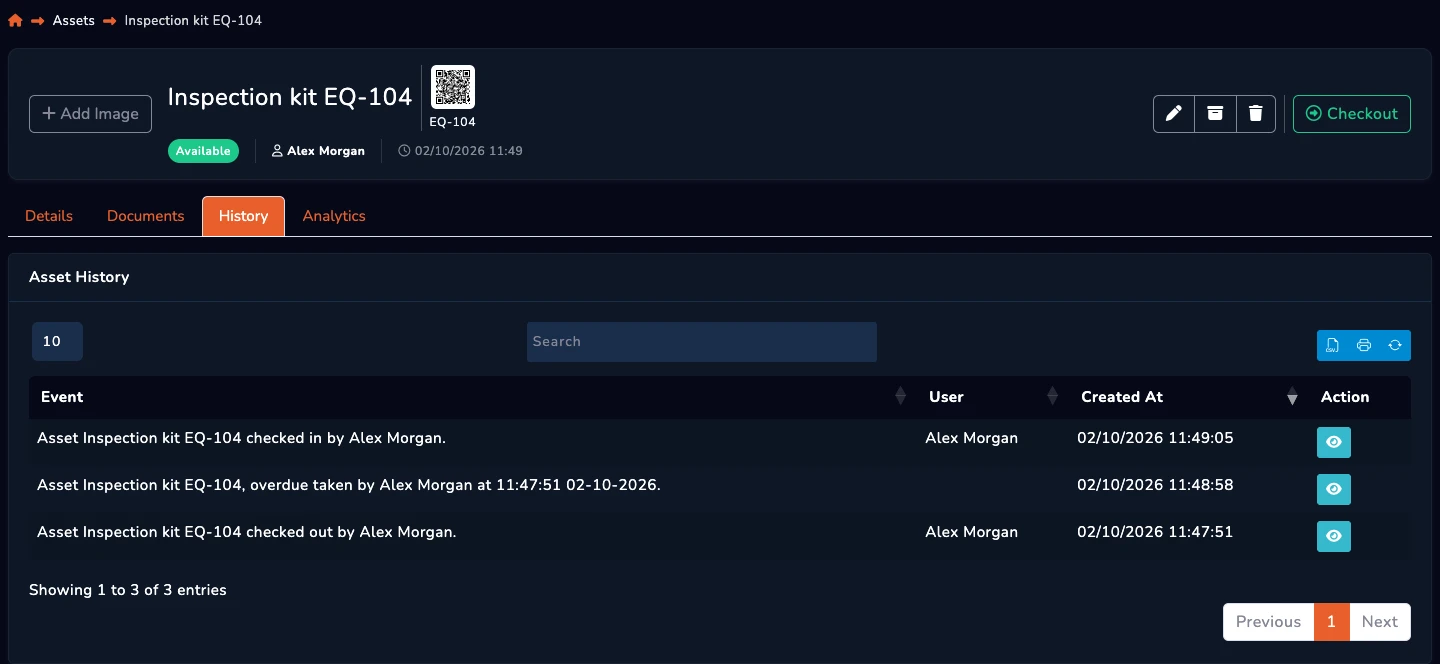
A large record count is not evidence of control. Useful measures expose accuracy, timeliness, cost and risk: the proportion of assets with a known owner, overdue returns, unassigned stock, records that disagree with discovery, unsupported devices, unused subscriptions and time taken to recover equipment from leavers.
Choose a small set of metrics with named owners and actions. For example, an overdue-return report should trigger recovery work, while ageing stock should inform reuse or disposal. Dashboards that nobody uses to make a decision add reporting effort without improving asset management.
Start with scope and failure points. Physical hardware custody may need labels, checkouts, returns, locations and service history. Software Asset Management may require discovery, entitlement and licence reconciliation. Broader ITAM may add contracts, financial lifecycle and CMDB relationships, while MDM controls device configuration and security.
Test representative workflows and integrations rather than choosing the longest feature list. AssetControl Cloud fits teams that need a clear operational record for physical laptops, monitors, phones, peripherals and other equipment. Use dedicated products where automated network discovery, software compliance, mobile-device enforcement or cloud-resource optimisation is required.
A few useful answers
Clear answers to help you choose the right approach for your team.
From the blog